Kajabi Review (2026): Hands-On Testing & Honest Verdict
Kajabi is our “all-in-one courses + marketing” pick: the all-in-one creator suite — courses, community, email and funnels together. Less suited if you only want a community and want to keep costs low.
Key Takeaways
Kajabi is a polished all in one platform combining online courses, community, email marketing, sales funnels, and payments - not a collection of loosely connected tools. Its biggest selling point is its all-in-one capabilities for digital product management.
This kajabi review is based on hands-on testing in 2026: we built a small course, set up a membership site, created landing pages, and ran an email funnel - not just a feature-list walkthrough.
Kajabi pricing sits on the higher side compared to single-purpose tools, but there are no extra platform transaction fees when using kajabi payments (standard card processing fees of 2.9% plus 30¢ per transaction still apply).
Kajabi is best for creators selling structured online courses, membership sites, and coaching programs who want a full marketing stack under one roof. It's less suited if you mainly want a simple, inexpensive community platform or Discord alternative.
Kajabi does not offer a permanent free plan. Instead, it provides a 30-day free trial for new users - always confirm current terms on the official site.
Intro: our honest Kajabi review in 2026
Kajabi is worth it in 2026 if you want an all-in-one course and marketing stack that eliminates the frustration of managing multiple software subscriptions. It's not ideal if you only need a lean community platform or you're operating on a very tight budget.
We tested Kajabi by actually building a small course, a kajabi membership, landing pages, and a simple email funnel - not just clicking around a demo. Kajabi provides a unified system for courses, websites, email marketing, and sales funnels, all managed from one dashboard.
This review covers kajabi features, the pricing model, kajabi pros and cons, and who Kajabi is (and is not) for, with specific 2026 details. All pricing references describe the model only - confirm the latest kajabi cost and free trial terms directly on Kajabi's website.
This review is for creators, coaches, and small businesses considering Kajabi for selling digital products, courses, or memberships. We provide a hands-on, up-to-date perspective for 2026, based on real platform use, not just feature lists.

Kajabi in brief: who it's best for (and who should skip it)
Kajabi is best if you want one tool to run your entire business - courses, a membership site, and marketing. It's overkill if you mainly want a community hub or a Discord alternative.
Best for:
Educators selling digital products kajabi supports (courses, coaching, downloads) who need built-in funnels and email
Coaches running a coaching business with memberships and recurring revenue
Small training teams wanting to consolidate multiple tools into one kajabi dashboard
Less suited if:
You only need a lightweight community platform and want to keep costs low
You're an early-stage hobbyist with no audience and minimal budget
You need ultra-flexible web design or full custom code control
In one line: Kajabi is a premier all-in-one online course platform and creator suite with community, email, and funnels baked in.
What is Kajabi? (the 2026 definition)
Kajabi is an all-in-one creation platform founded in 2010 by Kenny Rueter that combines a website builder, landing pages, products (courses, communities, memberships, coaching programs, digital downloads, podcasts), email marketing, and sales funnels into a single kajabi platform.
In 2026, Kajabi positions itself as a business hub for solo creators and small teams. You can run courses, a paid community platform, membership sites, and a coaching program from a single kajabi dashboard. Kajabi simplifies managing content, customers, marketing, and sales from one dashboard.
Kajabi now includes a built-in community product with gamification - points, badges, and leaderboards - for member engagement, plus a mobile app for learners. Kajabi frequently adds new features to its platform, enhancing user experience, including recent improvements to community tools and course delivery.
Compared to pure community tools or dedicated community platforms, Kajabi is more focused on education and monetization than on deep standalone community features. There is no permanent kajabi free plan; instead, Kajabi runs free trial promotions (currently a 30-day free trial) so you can test the platform before committing.
Key Kajabi features: what you actually get
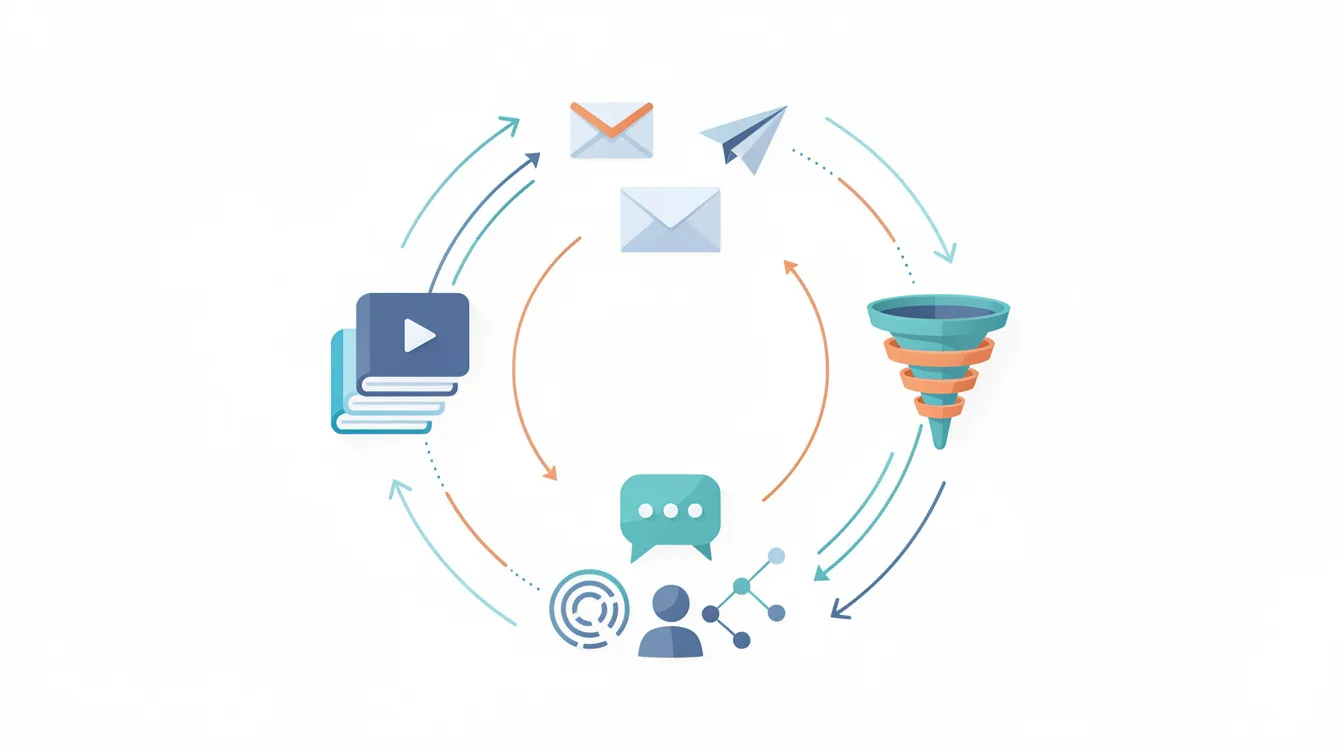
This section walks through what you actually get when you log into the kajabi dashboard: product types, the kajabi course builder, community features, site and landing pages, email, funnels, payments, analytics, and the mobile app. Each one includes how you'd use it day to day, not just what menu items exist.
Kajabi course builder and digital products
The kajabi course builder uses a module-and-lesson structure with drag and drop reordering. Each lesson supports video, audio, text, downloads, and quizzes. Kajabi allows unlimited video hosting up to 4 GB per video, so you don't need a separate video hosting platform.
You can build different kinds of digital products: self-paced courses, drip courses (modules unlocked over time), cohort-based courses, coaching programs, memberships, and digital downloads. Kajabi supports creating online courses with modules and lessons connected directly to offers and checkout pages. It also supports multiple formats including coaching programs, memberships, and newsletters.
Assessment tools include quizzes, assignments, and completion tracking. Automations trigger based on learner behavior - for example, if a student hasn't completed a lesson in five days, an email reminder fires automatically. For many solo creators selling online courses, this replaces having a separate course LMS plus a shopping cart, and you can set it up in just a few clicks.
Membership sites and community features
There's an important distinction inside Kajabi: a membership site gives recurring access to course content, while a community is a space for conversation, events, and challenges.
Kajabi allows users to create and manage private communities with:
Channels and spaces for organized discussion
Posts, comments, and threaded replies
Live rooms and scheduled events
Challenges with gamification (points, badges, leaderboards) for member engagement
You can create both free and paid communities, bundle them with your courses, and gate access by offer or subscription level. A concrete example: running a paid accountability community alongside a flagship course, with weekly live calls and a challenge board - all on the same platform.
The honest take: community features are newer and less flexible than specialist platforms like Circle or Skool. Moderation tools and deep customization are more basic. Course content and community areas feel structurally separate - you won't find discussion threads embedded inside each lesson automatically.
Website builder, blog, and landing pages
Kajabi's intuitive website builder is a drag and drop, section-based page builder where you create your entire website, blog, sales pages, and landing pages on your own domain. Kajabi offers professional branding through customizable templates and themes, so website building doesn't require design skills.
You can spin up landing pages for lead magnets, webinars, free mini-courses, and waitlists without external tools. In practice, we built a simple funnel - landing page, email opt-in form, checkout, and thank-you page - in one afternoon using kajabi's templates.
SEO basics are covered: custom URLs, page titles, and meta descriptions. Performance is reasonable for ranking on Google, though not as extensible as WordPress with plugins. Advanced designers may feel constrained by limited layout freedom and custom code access on lower plans.
Email marketing, automations, and funnels
Kajabi includes built-in email marketing and automation tools: broadcasts (one-off sends) and sequences (automated flows) tied directly to your products and offers. Many users appreciate Kajabi's integration of marketing tools into the platform because you don't need a separate email provider or email marketing software.
Automations follow a WHEN/THEN structure. For example: "When someone buys Course A, then tag them, start Sequence X, remove from promo list, and unlock the community." You can create marketing campaigns and branching logic without needing your own email provider or multiple third party tools.
The funnel builder (called Pipelines) includes pre-built marketing funnels for quick setup - templates for webinars, product launches, free trials, and lead magnets that string together landing pages, emails, and checkouts. Kajabi allows for seamless sales funnels integrating marketing campaigns directly to checkout pages.
A concrete workflow: after someone opts into a free lead magnet, a 5-email welcome and pitch sequence fires automatically, warming them toward your paid course - all built inside Kajabi. Kajabi includes various built-in marketing tools such as automated email sequences and sales funnels, and its marketing automation capabilities let you create marketing campaigns that run while you sleep.
Limitation: the email editor and templates are solid but less advanced than high-end email tools when it comes to deep A/B testing and CRM-grade segmentation.
Payments, checkout, and monetization options
Kajabi supports payments through its own kajabi payments and common gateways like Stripe and PayPal, plus modern options such as Google Pay and Apple Pay in supported regions.
Key pricing detail: Kajabi charges 2.9% plus 30¢ per transaction for payments when using its native processor. There are no extra platform transaction fees on top of that. However, Kajabi charges a transaction fee of 0.5% to 5% for third-party payment gateways, so check current terms carefully.
Core monetization options include:
One-time purchases and subscriptions
Payment plans and free trials
Coupons, order bumps, and upsells
Downsell flows (in some configurations)
You can price transaction fees into your offers, create multiple offers for the same course content (e.g., pay-in-full vs. 3-pay plan), and price products in multiple currencies where supported. This setup kajabi replaces having separate accounting tools, a shopping cart, and a payment processor dashboard for selling digital products.
Analytics and reporting
The kajabi dashboard includes revenue metrics (gross, net after refunds), subscriptions, opt-ins, offer performance, and email metrics (opens, clicks) at a glance. Course analytics show lesson completion, student progress, and where learners drop off.
For solo creators who don't want to live inside complex BI tools, these advanced analytics are practical and easy to read. You can spot a weak checkout page, test a new landing page, and track whether your marketing efforts are converting.
For deeper funnel breakdowns or advanced attribution, you'll still want google analytics or other external tools connected via integrations. Kajabi's reporting is strong for day-to-day decisions but not a full enterprise BI suite.
Integrations and ecosystem
Kajabi integrates with third party tools including analytics platforms (google analytics), webinar software (Zoom), scheduling tools (Calendly), and CRMs via Zapier and webhooks.
The native integration marketplace is intentionally lean - enough for essentials, but anything beyond that goes through Zapier (available especially on higher plans). This is a trade-off of an all in one platform: fewer moving parts to maintain, but less infinite extensibility than WordPress or a fully custom stack.
Example: you can send Kajabi purchases to accounting tools or bookkeeping software, or sync new members to a separate CRM list. But Kajabi is meant to be your primary platform, not a thin front-end on a large custom tech stack. It kajabi makes the most sense when you lean into its ecosystem rather than fighting against it.
Mobile app and learner experience
Kajabi offers a mobile app on iOS and Android where members access courses and communities on the go. Background audio playback, video casting to TV (Apple TV, Chromecast, Roku), and confetti animations on lesson completion make the experience feel polished.
The mobile app tends to boost completion rates and gives communities a more "always-on" feel similar to a social app. Push notifications for new lessons or community posts increase member engagement compared with email alone.
Some plans support a branded mobile app (white-labeled), which can be cheaper than commissioning a custom app. The design is standardized - you can't fully redesign the app UI - but it works well as a functional learning and community companion. Creators manage content from the desktop dashboard, while learners primarily use the mobile app for consumption.
Kajabi pricing in 2026: how the model works
Kajabi uses tiered monthly and annual plans that scale based on products, members/contacts, and features. There is no permanent free plan, but Kajabi offers a 30-day free trial for new users.
Kajabi offers four pricing plans with increasing product limits. Here's the structure for a detailed kajabi pricing review:
Plan | Approximate Monthly Cost | Products |
|---|---|---|
Kickstarter | Starting at $55/mo | 1 digital product |
Basic | $119/mo | 3 products |
Growth | $159–$199/mo | 15+ products |
Pro | $319/mo | 100 products |
Kajabi's starter plan is one of the most expensive entry points at $69/month compared to other platforms' free tiers. The lowest plan (kickstarter plan) limits users to one digital product. The growth plan at higher tiers offers expanded or unlimited products. Annual billing reduces costs - for context, Kajabi's monthly cost can work out to around $149 on certain plans, saving roughly $461 compared to using separate tools. |
Kajabi is often viewed as a premium solution with a higher cost compared to other platforms. Lower tiers cap products, funnels, and admin seats, while higher tiers unlock advanced automations, affiliate programs, and API access. For the basic plan, live chat support is available during business hours. Kajabi offers 24/7 live chat support for Growth and Pro plans.
Pricing has increased since 2025–2026, which makes Kajabi less attractive as a "test the waters" platform but still compelling for a successful business online selling courses and memberships. Always check the vendor's site for the latest kajabi pricing and plan details.
Free trial vs free plan
As of 2026, Kajabi does not offer a permanent free plan. Instead, Kajabi offers a 30-day free trial for new users - enough time to build a sample course, set up a small funnel, import contacts, and test checkout and emails.
Treat the free trial as a structured sprint: outline what to build and validate (product, landing pages, email sequence) before it expires. Some affiliates or promotions may extend the trial period, but it always converts into a paid kajabi subscription afterward.
Verify current free trial length and conditions (whether a credit card is required) directly with Kajabi, as terms change. If you need to stay free for months while validating your idea, a different platform with a genuine free plan will be a better match.
Kajabi pros and cons (from real use)
Kajabi's biggest strength is being a true all-in-one that actually works. Its biggest drawback is price and the fact that its community features lag behind specialist platforms. User sentiment toward Kajabi is generally positive among creators and businesses - Kajabi has over 1,300 five-star reviews on Trustpilot and a Facebook community with over 37,000 members. Many users love kajabi for consolidating their entire business.
Kajabi pros:
True all in one platform: courses, email, funnels, payments, and community under one roof
Polished student experience with the mobile app and course UX
Powerful marketing tools: pipelines, automations, branching logic
No extra platform transaction fees on kajabi payments
Reliable infrastructure with consistent updates and new features
Kajabi University provides training resources for all users
Kajabi's Help Center includes video tutorials and step-by-step guides
Kajabi cons:
High monthly cost compared with single-purpose tools or other platforms
Product and contact limits on lower plans force upgrades
Community features still catching up to dedicated platforms like Circle or Skool
Design constraints for perfectionist web designers who want full control
New users may find Kajabi's comprehensive features overwhelming - there is a steep learning curve
Kajabi has received mixed reviews regarding customer support quality
Platform lock-in: once courses, community, funnels, and email are all inside Kajabi, migrating out is hard
Mixed point: The all-in-one nature simplifies life and saves you from stitching together multiple tools, but it also increases platform lock-in compared to a modular stack. That learning curve is real - but it flattens once you understand the core workflows.
Who Kajabi is really for (and who it isn't)
This is the fit-check section. Does Kajabi match your situation? Below are concrete creator profiles with a quick verdict for each. Kajabi is suitable for established coaches and businesses that value simplicity over flexibility.

Great fit: educators building courses plus funnels
If you sell structured online courses and need higher-converting landing pages, email sequences, and upsell flows in one place, Kajabi is built for you.
Example: a solo educator running two flagship courses and a mid-ticket membership, using automations to upsell members into one on one coaching. They use the course builder for delivery, Pipelines for lead generation, and email sequences to nurture - all on the same platform.
For this profile, kajabi worth is easier to justify because it replaces a separate website builder, online course platform, email provider, and landing page tool. The polished student experience and analytics for optimizing launches make this group Kajabi's sweet spot. You can run your own business and create your entire website without touching external tools.
Good fit: membership sites and coaching programs
Coaches and membership-site owners who want to package recurring content, host a community, and run group calls from a single platform are well-served by Kajabi.
Kajabi lets you combine courses, a community area, and coaching into tiered offers - content-only, content plus community, content plus community plus coaching calls. Built-in billing and automations for consistent revenue make recurring payments easier to manage, automatically revoking access when payments fail and sending dunning emails.
Gamification (points, badges) adds an extra layer of engagement for memberships running challenges or cohorts. That said, coaches with very simple needs might prefer a minimal stack (calendar plus Zoom plus payment link) until they grow into a coaching business that justifies Kajabi's price.
Maybe: community-first creators and "Discord refugees"
If you're looking for a Discord alternative or standalone community platform focused mainly on conversation and events, Kajabi's community features are now solid - spaces, threads, live rooms, gamification - but still not as customizable as community-only tools.
The price factor matters here: using Kajabi only as a community platform is usually not cost-effective unless you also use its courses, email, and funnels. Test it during the free trial with a small pilot group to see if the community UX feels "alive" enough.
If education products are secondary and chat-style interaction is primary, specialized community tools are likely a better fit.
Not ideal: hobbyists and ultra-budget beginners
If you're still validating your first idea with no audience and limited funds, Kajabi's recurring cost and limited low-tier product slots make it a risky first expense. The kickstarter plan at $55/month with just one product isn't much room to experiment.
Start with cheaper or free tools, validate using basic landing pages and simple payment links, then graduate to Kajabi once revenue is stable. Advanced developers and designers who want full control over every pixel will also find Kajabi too opinionated. Choosing a simpler stack early doesn't rule out migrating to Kajabi later when your marketing efforts support the investment.
Conclusion: is Kajabi the right choice for you?
Kajabi is a strong choice in 2026 if you want an all in one platform to run courses, memberships, coaching, and marketing under one roof. It's less suitable if you only need a basic community or an ultra-cheap starter tool.
What stood out most after hands-on testing:
Integrated workflows that genuinely reduce the need for multiple tools
A polished learner experience across web and the mobile app
Powerful funnels and marketing automation for selling digital products
Premium pricing and still-maturing community tools as real trade-offs
If you recognize yourself in the "courses plus marketing plus membership" profile, plan a focused free trial. Build one course, one funnel, and one email sequence during those 30 days - then decide whether Kajabi kajabi makes sense for your own business.
Double-check current kajabi pricing, free trial details, and payment options (including Apple Pay and Google Pay availability) on Kajabi's official site before committing. And remember: what all the fuss is about isn't any single feature - it's having your entire business in one place so you can focus on teaching instead of troubleshooting tech.
Frequently asked questions
Kajabi is worth it in 2026 if you actively use its all-in-one stack - courses, community, email marketing, funnels, and payments - and you have or expect recurring revenue. It's less worth it if you only need a simple community platform or an online course platform with no complex marketing needs. The best test is to use the 30-day free trial to build a small offer and see whether the workflow and savings versus multiple tools justify the kajabi subscription.
Kajabi's 2026 pricing is tiered across four plans - Kickstarter starting at $55/month, Basic at $119/month, Growth from $159 to $199/month, and Pro at $319/month - each with different limits on products, contacts, and admins. Annual billing offers discounts. Pricing has increased compared to earlier years as Kajabi added community features, AI tools, and improved analytics. Check Kajabi's official pricing page for exact current amounts and promotions.
As of 2026, Kajabi does not offer a forever free plan. Instead, it provides a 30-day free trial so you can test the full platform before committing. Some affiliates may offer extended trials, but they still convert to paid plans. If you need months of free usage, consider tools with genuine free tiers and revisit Kajabi once you're ready to invest.
Kajabi is technically beginner-friendly - no coding required, plenty of templates, and guided onboarding. However, the sheer number of features can feel overwhelming on day one, creating a steep learning curve. Kajabi University and the Help Center with video tutorials and step-by-step guides help non-technical users get up to speed. Solo creators committed to building a real own business can grow into the platform, but those with no audience and minimal budget may want to wait until they have traction.
Yes, Kajabi offers a mobile app on iOS and Android that lets members access courses and communities, improving flexibility and completion rates. The app follows Kajabi's standard design - you can't fully customize every element - but it cleanly displays your course content and community spaces. Some plans support a white-labeled or branded app. Push notifications for new lessons or community posts increase member engagement beyond what email alone achieves.