Podia review: our hands-on take
Podia is our “creators selling products + community” pick: sell courses, digital downloads and a community from one simple storefront. Less suited if you want an advanced, standalone community platform.
Podia is a user-friendly platform ideal for beginners and solo entrepreneurs who want to sell courses, digital downloads, and coaching sessions from a single platform without technical complexity. After testing it hands-on in 2026, we found it works best as a simple all in one platform for creators who want to sell first and run a community second. If you need an advanced, standalone community platform with deep gamification and member engagement, Podia will feel thin. Read on for our honest breakdown of features, pricing, strengths, and limits.

Key Takeaways
Podia is a great platform for selling online courses, digital products, memberships, and coaching from one digital storefront. It combines course hosting, email marketing, a website builder, and community spaces so you don't need separate tools.
Podia has been reported to have a low learning curve, allowing quick product launches even if you have no technical experience. Its user interface is rated 4.6 on Capterra and G2.
Podia pricing includes a free plan (with an 8% transaction fee), plus two paid plans - the mover plan and the shaker plan - that reduce or remove platform fees. Always check the vendor's site for current pricing.
Core Podia features include course creation, community spaces, built in email tools, landing pages, a drag-and-drop website builder, and simple affiliate marketing tools.
This podia review answers "is Podia worth it?" directly with an honest pros and cons breakdown based on hands-on testing in 2026.
In brief: who Podia is (and isn't) for
Podia is a straightforward all in one course platform and digital storefront with a light community layer on top. It's perfect if you want to sell courses and digital products first, and run a simple paid community second.
If your priority is building an advanced community platform with deep member engagement, gamification, and real-time interaction - something closer to a Discord alternative, Circle, or Skool - Podia is not the right fit.
Best for:
Creators who want to sell digital downloads, online courses, and memberships in one stop shop
Solo course creators and small online business owners
Coaches bundling coaching sessions with a small membership site
Anyone who wants affordable pricing and easy to use tools with no technical skills required
Less suited if:
You need a large-scale, engagement-heavy community with gamification and complex moderation
You run complex cohort programs requiring graded assignments and advanced analytics
Your team needs granular permissions, branded mobile apps, or advanced customization
The free plan makes it low-risk to test, but serious community builders may outgrow Podia's engagement tools as member numbers rise.
What is Podia? (2026 definition)
Podia is an all in one platform and digital storefront for selling online courses, memberships, coaching, and digital downloads. It adds a built-in community space so your customers can interact without needing a separate community platform.
Founded in 2014, the podia platform has always focused on solo creators and small businesses who don't want a complex tech stack. Podia is designed for users with no technical experience, offering a clean and intuitive interface for course creation, email marketing, payment processing, and website building. It combines course hosting, digital downloads, memberships, coaching, email marketing, and a website builder into one ecosystem.
The key distinction: Podia is more "sell products and have a community attached" than "build a huge community with optional products." In 2026, it's commonly compared to Teachable, Thinkific, Kajabi, and standalone community tools, but its sweet spot remains simplicity and consolidation.
Podia as a community & membership platform
Podia's community features work well as an add-on to your courses and digital products, but they are simpler than dedicated community apps.
Communities are organized into spaces or topics. Members see a feed of posts and comments with basic member profiles. You can gate spaces for paid community members or bundle access with courses, making it easy to charge subscription fees for memberships. Podia allows creators to build online communities and supports community discussions and content sharing. Memberships can be offered as free or paid on Podia.
Typical use cases include a small membership site around a flagship course, a private space for coaching clients, or a bonus group for buyers of downloadable products alongside courses.
What's missing compared to other platforms:
No real-time chat rooms or robust direct messaging
Limited gamification (no leaderboards, challenges, or points)
Fewer member engagement analytics
Basic moderation tools
Podia's community features enhance engagement among members, but they're designed for small, tight-knit groups rather than large online communities with hundreds of daily active users.
Key features: how Podia actually works day to day
The core Podia features fall into six buckets: digital storefront, course creation, communities, email marketing, marketing tools, and integrations. Here's a practical walk-through of what you can build with Podia in 2026.

Digital storefront, website, and landing pages
Podia gives you a no-code professional website with a homepage plus individual landing pages for courses, digital downloads, and memberships. Podia includes a built-in drag-and-drop website builder, letting you customize colors, fonts, logos, hero images, and blocks for product grids, email opt-ins, testimonials, and FAQs.
You can run a full digital storefront under a custom domain or Podia subdomain. A creator might sell a signature course, two mini-courses, and a bundle of downloadable resources, each with its own sales page and upsell offers on checkout. You can even pre sell upcoming products with waitlist pages.
One honest note: Podia's website builder is simple but offers limited design flexibility and customization. If you need intricate layouts or custom CSS, you'll feel the ceiling.
Course creation and digital products
Podia's course builder supports video, audio files, PDFs, text lessons, quizzes, and drip campaigns. This makes it solid for self-paced course content or "watch and learn" formats. You can package offers as single courses, mini-courses, cohorts with start dates, or bundles mixing courses with digital downloads like templates, workbooks, or audio files.
Podia allows unlimited courses and digital products, which is a game changer for creators who want to sell ebooks, templates, and downloadable resources without hitting caps. The platform integrates features for selling online courses, digital downloads, coaching, and memberships into one ecosystem.
Assessments and progress tracking are basic: simple quizzes and completion tracking work fine, but you won't find robust homework workflows, graded assignments, or question banks. If you want to host free courses or free courses as lead magnets, that's straightforward too.
Communities, memberships, and member engagement
Podia's community feature is feed-based: posts, comments, simple reactions, organized by spaces or topics. You can run a paid community or membership site by charging recurring subscription plans and linking access to specific spaces and product bundles. This supports community building alongside your products.
Engagement limitations are real: no built-in gamification points, badges, or complex leaderboards. There's limited event management beyond posting links to live sessions. A concrete example: a creator running a $15/month book club community attached to a course, where monthly discussion threads and Q&A live streams are posted. For that scale, Podia works. But if your membership tiers involve hundreds of active members expecting daily interaction, you'll feel constrained.
Email marketing and on-platform marketing tools
Podia email is a basic, creator-friendly email marketing tool baked into the platform. It handles broadcasts, simple automations, and product-triggered sequences. Podia includes a built-in email marketing tool for up to 100 subscribers. Beyond that, costs increase incrementally - confirm current thresholds on the pricing page.
Automated campaigns work for common workflows: sending a welcome sequence after a purchase, nurturing new potential customers from a landing page with drip campaigns, or launching a new course to existing buyers.
Other built-in marketing tools include coupons, bundles, upsells at checkout, lead magnets using free digital downloads, and a simple affiliate marketing system on higher plans. These make Podia feel like an all in one solution for simple funnels and help you generate more revenue and additional revenue streams. Power users of standalone email platforms might still prefer external tools, but for most solo creators, the built in email tools are enough.
Integrations, payments, and the (limited) mobile experience
Payment options include Stripe on all plans and PayPal on the shaker plan. Payouts go directly to creators, with standard payment processor fees on top of any Podia fees. You can set up payment plans and subscription plans for recurring income.
Key integrations include popular email tools like ConvertKit or Mailchimp, and Podia supports live webinars through integrations with Zoom and YouTube Live - useful for paid webinars. Automations through Zapier-type connectors let you push new buyers into a CRM or trigger actions in other tools.
In 2026, Podia does not offer a dedicated mobile app for communities or students. Members access via mobile web, which is responsive but lacks push notifications and native navigation. Creators who prioritize a branded community mobile app may find this limiting. You won't be running google ads to an app download page with Podia.
Podia pricing in 2026 (including the free plan)
Podia pricing follows a simple tiered model. There's a free plan, plus paid tiers. Exact prices can change, so always confirm on Podia's official pricing page.
Here's what the structure looks like as of mid-2026:
Plan | Monthly price | Annual billing | Transaction fee |
|---|---|---|---|
Free plan | $0 | - | 8% per sale |
Mover plan | $39/month | ~$33/month | 5% per sale |
Shaker plan | $89/month | ~$75/month | 0% (zero transaction fees) |
The mover plan costs $39/month or $33/month annually, and carries a 5% transaction fee on sales. The shaker plan costs $89/month or $75/month annually and has no transaction fees on sales, meaning Podia's higher-tier plans do not charge transaction fees, allowing creators to keep all their revenue. Podia also offers a 30-day free trial for all plans, so you can test every feature before committing to a paid plan.
Does podia charge transaction fees? Yes, on the free plan and mover plan. The shaker plan eliminates them. For context, Thinkific's paid plans start at $49/month, higher than Podia's entry point.
Podia sometimes references three plans if you include the free tier, and annual billing saves meaningful money. Budget-conscious creators should run the math on transaction fees versus the monthly subscription as revenue grows. Some users have noted that the podia plan structure - while simple - requires you to factor both subscription cost and per-sale fees to understand true cost.
Note: Some sources still reference a "starter plan" from older pricing structures. Verify current plan names on Podia's site.
Podia pros and cons (honest view after testing)
This section is the heart of our podia review: no hype, just what works well and what felt limiting in hands-on use in 2026.
Strengths:
Simple all in one setup that eliminates the need for separate tools - users praise Podia's integration of multiple functions into a single platform
Excellent for selling digital products plus community in one storefront
Genuinely beginner-friendly with a low learning curve and user friendly interface
Solid customer support experience (more on this below)
A real free plan for testing ideas, and you can host free products to validate before upgrading
Podia offers a drag-and-drop website builder for easy customization
Podia allows creators to set up membership sites for recurring income
Limits:
Community is not as powerful as Circle, Skool, or even a well-run Discord server
Fewer engagement and gamification tools for community building
Limited interactive learning features - no robust graded assignments or basic analytics beyond completion
No branded mobile app in 2026
Design customization hits a ceiling - advanced customization is restricted
The free plan's 8% transaction fee can create angry customers if you're not transparent about pricing
Video tutorials and help docs are solid but support conversations may slow on weekends
User sentiment toward Podia is generally positive, especially among small businesses. Podia is often considered a good value for small creators due to its all-in-one capabilities and reasonable pricing.
Is Podia worth it in 2026?
Podia is worth it in 2026 if your main goal is to sell courses, coaching, and digital downloads with a simple attached community - and you value ease of use over deep customization or advanced community features.
The free plan lowers risk. You can validate a course idea or a small paid community before upgrading to a paid plan, which makes the platform attractive for early-stage creators building customer personas and testing offers.
Where Podia may not be worth it: if community is your core product and you need robust engagement features, or if you run complex, interactive, cohort-based programs. Podia offers solid value when it replaces multiple tools - email marketing, checkout, hosting, basic community - but only if you're actually using those pieces.
Creators with advanced marketing stacks (custom funnels, CRM automations, heavy reliance on other platforms) may feel constrained. Treat Podia as a storefront and community front end rather than a full stack replacement in those cases.
Who Podia is best for (and who should avoid it)
Podia shines for specific creator profiles and is a poor fit for others. After reading this section, you should confidently say "yes, this is me" or "no, this isn't my situation."
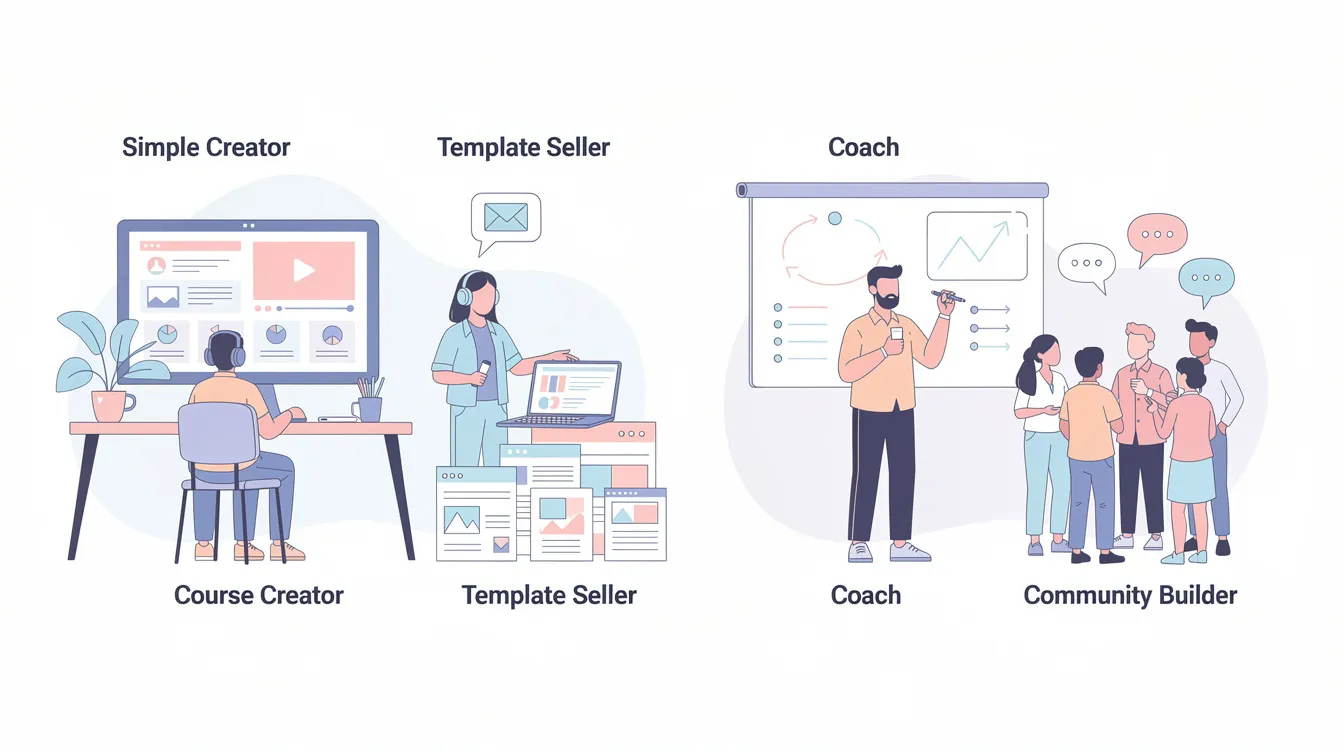
Solo course creators and small digital product businesses
Solo creators selling a mix of online courses, digital downloads, and occasional live sessions are the archetypal Podia user. Picture a one-person online business offering a flagship course, a "starter" mini-course, and paid templates - all managed from one digital storefront with no technical complexity.
You don't need to glue together website hosting, checkout tools, and email marketing. The mover plan is usually enough for this profile initially. Many of these users love podia for its simplicity and responsive customer support. You can sell ebooks, sell digital downloads, and sell courses from the same storefront, using landing pages and a sales page for each product.
Coaches and experts running a small paid community
Podia is a good fit for coaches who sell 1:1 or group programs and maintain a modest paid community or membership site. Example: a business coach running a 12-week program hosted as a course, with a members-only community space for ongoing Q&A, downloadable resources, and session recordings.
Bundling access is straightforward - course plus community plus digital products - and keeps payments, onboarding, and communication in one place. Coaches needing advanced scheduling or CRM can connect Podia via integrations but may keep specialized tools. If community-driven transformation with daily posts and gamification is central to the offer, a dedicated community platform may be a better anchor.
Who should probably not use Podia as their main platform
Podia is not ideal for large, standalone communities where engagement features, moderation tools, and gamification are the core value proposition. Teams building sophisticated online schools with detailed assessments, multi-instructor setups, and strict compliance needs will outgrow Podia quickly.
Organizations seeking a custom-branded mobile app and extensive integrations will find Podia's "all-in-one but simple" model too limiting. A 5,000-member community currently on Discord looking for advanced roles, bots, and real-time events will struggle to replicate that inside Podia. Treat it as a lightweight storefront or secondary product hub in those cases.
Customer support and real-world experience
In testing and in many public reviews, Podia's customer support stands out as fast, friendly, and genuinely helpful. Podia's customer support is described as friendly and efficient, with human support and human assistance available alongside AI-assisted replies. Podia offers email support seven days a week, and live chat support is available for mover and shaker plans.
Podia provides free migration services for new users moving from platforms like Teachable or Thinkific. Response times for support conversations can vary, especially on weekends. The platform also has a large library of video tutorials and help docs covering setup, course creation, and email marketing.
For mission-critical launches, test support early - ask a migration or setup question to gauge responsiveness before you commit.
Podia vs dedicated community platforms
Podia is often compared to community-first tools like Circle, Skool, and private Discord servers, but its DNA is that of a course and digital product platform with community added on.
Where Podia wins: courses, digital downloads, and a community under one login and one billing system. Simple checkout. Easier onboarding for "product-first" creators. No technical experience needed.
Where it loses: fewer engagement tools (no complex gamification, challenges, or multi-layered spaces), no native real-time chat, no branded mobile app, and limited analytics on member engagement.
For small, focused memberships - dozens to low hundreds of members - Podia communities feel sufficient. At scale, friction appears. Choose Podia as your home if products and simple community come first. Choose a dedicated community platform if connection, conversation, and engagement are the product.
Conclusion: should you choose Podia?
Podia is a strong choice in 2026 if you are a creator selling courses, coaching, and digital downloads who wants a simple all in one platform with a community attached rather than a standalone community platform. Its biggest advantages are ease of use, the free plan, integrated email and marketing tools, and the ability to run your whole digital storefront from a single platform.
If you're building a large, engagement-heavy community or a complex online school, Podia is not the right backbone. But if your profile matches "creators selling products alongside a community," Podia is a great platform to start with.
Create a free Podia account, set up a basic landing page and one product - a course or digital download - and test a mini-offer with real customers. You'll know quickly whether Podia fits your workflow.
Frequently asked questions
Podia is generally worth it for beginners who want to sell their first course, digital downloads, or a small membership without wrestling with technical complexity or multiple tools. The free plan lets you test a basic storefront and community with real customers before committing to a paid plan. If you need advanced community features from day one, a more specialized tool may be a better starting point. The learning curve is low enough that "simple and launched" beats "perfect but never shipped."
Podia offers a genuine free plan with an 8% transaction fee, plus paid tiers like the mover plan and shaker plan. The mover plan costs $39/month or $33/month with annual billing, carrying a 5% transaction fee. The shaker plan costs $89/month or $75/month annually with zero transaction fees. Podia also has a 30-day free trial for all plans. Always check the vendor's site for current podia pricing, as rates can change.
You can technically use Podia just for a free or paid community, but it's designed primarily as a course platform and digital storefront with community attached. Basic feeds, posts, and comments work fine for a lightweight community, but tools like Discord, Skool, or Circle are stronger for community-first businesses. Podia's strength is bundling community access with digital products - not replacing rich standalone community software.
Many creators move from platforms like Teachable or Thinkific to Podia to simplify their setup. Podia provides free migration services on paid plans for common assets like courses, products, and customer data, though exact scope varies by podia plan. Contact Podia support with specifics before planning a full move, especially if you have complex setups or large communities.
As of 2026, Podia does not offer a dedicated, branded mobile app for students or community members. Access is via a responsive mobile web interface, which works for casual course consumption and basic community participation but lacks push notifications and native app navigation. If a custom-branded mobile app is critical to your experience, Podia may not be the best fit. Some creators mitigate this by having members add the mobile site to their home screen.