Mighty Networks Review (2026): Hands-On Analysis
Mighty Networks is our “branded mobile apps & events” pick: branded mobile apps and events for creators and membership communities. Less suited if you want simple recurring pricing or built-in gamification.
Key Takeaways
Mighty Networks is best for community-first creators who want native mobile apps and integrated live events under a single platform. If you're building a serious paid community with recurring engagement, it delivers.
It functions as an all-in-one community platform combining community feeds, online courses, live streaming, and membership monetization - reducing the need for multiple services by consolidating functionalities.
Pricing uses tiered paid plans with transaction fees on every sale (ranging from 0.5% to 3%). There is a free plan and a 14-day free trial, but check the vendor's site for current 2026 figures.
Main strengths: native branded apps, strong events and courses, mature community features. Main weaknesses: complex setup, no flat pricing, limited native gamification, and mixed feedback on support.
For most creators just starting out, Mighty Networks is overkill. We'll explain why Skool is often a simpler, faster alternative for many community builders in our conclusion.
Quick verdict (is Mighty Networks worth it in 2026?)
In 2026, Mighty Networks is worth it if you're building a serious paid community and care about branded mobile apps and live events. It's overkill if you just need a simple course platform or a basic membership site.
Here's how it performed in our hands-on testing:
Setup: Functional but takes more than a few hours to configure properly. Expect a learning curve.
Community engagement: Feeds, spaces, and group chats feel lively and modern. Member-led activity is genuinely encouraged by the platform's design.
Course delivery: Adequate for community-driven learning, but not a replacement for a dedicated course platform if you need certificates or complex assessments.
Stability: Reliable in 2026. Mighty Networks maintains strong ratings around 4.6/5 from users on software review platforms.
Best for: coaches with cohorts, membership communities, event-driven creators, organizations wanting a private social network.
Not ideal for: beginners wanting flat pricing, pure course sellers needing advanced LMS tools, anyone wanting deep built-in gamification and leaderboards.
The pricing model (plans plus transaction fees) can get confusing and expensive as your revenue scales. While we like Mighty Networks for specific use cases, it's not our default recommendation. More on that in the conclusion.
About Mighty Networks (what it actually is)
Mighty Networks is a powerful all-in-one platform for building online communities. It combines a community platform, course platform, event hosting, and membership monetization into a single platform - designed for branded, mobile-first membership communities with live events.
Founded in the mid-2010s by Gina Bianchini (previously behind Ning), Mighty Networks is considered community-first compared to its competitors. By 2026, it has matured into an established community management solution used by creators, coaches, and organizations worldwide.
Unlike a facebook group or Discord server, Mighty Networks gives you complete control over your community space - no algorithm surprises, no ads, no distractions from social media platforms. Here are the core concepts:
Spaces: Flexible containers for feeds, courses, group chats, events, or a mix - the building blocks of your network architecture
Members & hosts: Unlimited community members on all plans, with host and moderator roles for community management
Payments: Built-in monetization via memberships, course sales, and paid events
Mobile app: Native iOS and Android apps for members and hosts, with optional branded app on higher tiers
Custom domain: Connect your own URL so it looks like your membership site, not a third-party tool
Think of it as a Discord alternative for paid communities that need structure, monetization, and a more professional member experience.
In brief: best for / less suited for
Mighty Networks is best for community-first businesses that lead with engagement and events, and less suited if you mainly sell structured online courses.
Best for: cohort-based coaching programs, paid membership communities with recurring workshops, virtual conferences and online events, niche communities migrating from free social platforms to a paid model, and organizations wanting a branded mobile app without custom development.
Less suited if: you're a solo course creator needing detailed assessments and completion certificates, a corporate L&D team requiring SCORM compliance, someone who wants flat "no-fee" pricing, or a hobby community without revenue to justify the cost.
By 2026, Mighty Networks is stable and feature-rich, but complexity and pricing changes over the past years mean it's not a "set and forget" tool for casual new users. It shines when your primary product is the community itself - real time conversations, recurring calls, Q&A sessions - not when your priority is detailed course analytics or compliance.
There's no built-in deep gamification layer like competitive leaderboards. If you want heavy game mechanics for community engagement, you'll need other tools or another platform entirely.
Key features and how they feel in real use
Spaces & Feeds
Customizable "Spaces" for organizing diverse content types
Each space can contain:
Feed posts
Group chats
Courses
Events
Sub-communities
Mix community features in a single space for flexible structure, or keep things separated
Community feeds support:
Long-form content
Images
Native video
GIFs
Pinned posts
Hashtags
Community Engagement Tools
Polls with four types: questions, multiple choice, hot-cold scales, and percentages
Members can earn custom badges to enhance engagement
Direct messaging for one-on-one conversations between members
Group chats for real-time member interaction
AI-assisted onboarding to surface relevant content and people
Live Events
Integrated tools for live streaming and event hosting
Host live events with up to 500 participants
Scheduled events support RSVPs, reminders, and recordings
Multiple event formats: workshops, office hours, recurring calls
For smaller groups, can replace tools like Zoom
Online Courses
Basic course builder with sections, lessons, tracked video, quizzes, and drip content
Two course templates: cohort and content-only
Customization
Colors, logo, cover images, member badges, and a basic landing page builder
Custom domain support included
Layout control is limited
Integrations
Stripe for payments
Zapier and webhooks on higher plans
Basic API access
Google Analytics for tracking
Mighty Insights (on higher tiers) for community engagement metrics
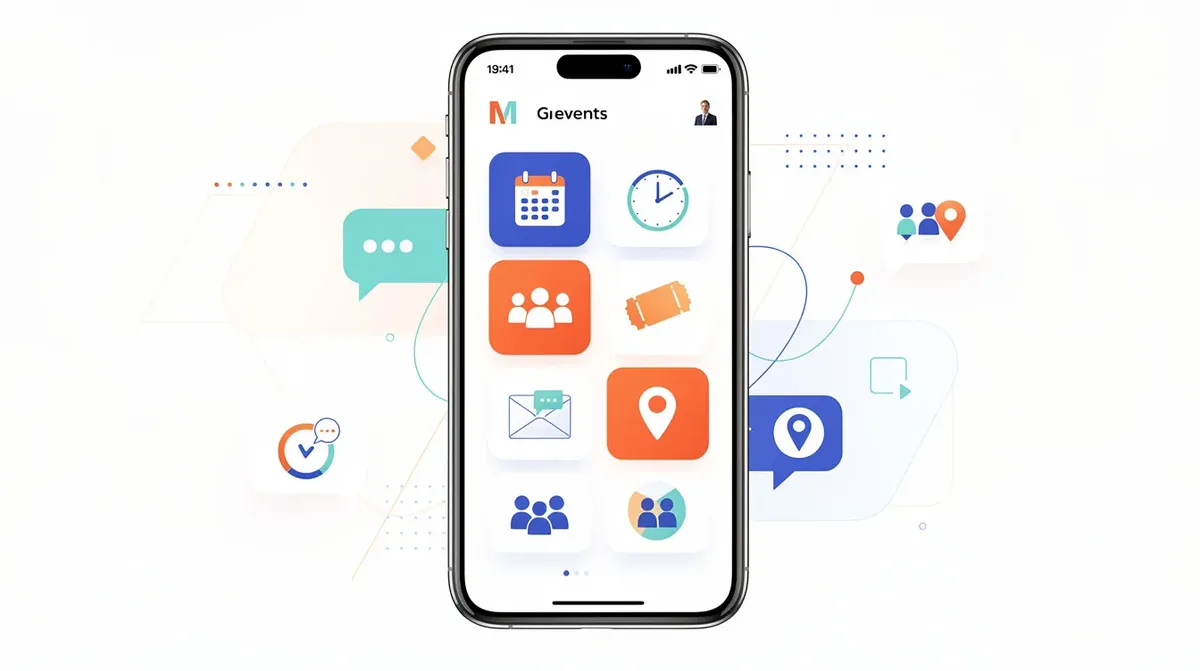
Community experience: feeds, spaces, and member engagement
Feed Design & Discovery Tools
Community management is where Mighty Networks is strongest. Mighty Networks emphasizes member-led activity for community engagement, and you feel that in the feed design and discovery tools.
Community feeds combine chronological and algorithmic surfacing
Supports long-form articles, quick posts, images, video embeds, and pinned posts
Segmented member profiles and activity feeds so members see content relevant to their interests
Spaces & Access Control
Spaces can be set to public, private, secret, or paid
Run a free front-door community alongside premium masterminds and course cohorts
Example: a coach might keep general discussion free, gate a mastermind, and run a paid course cohort, all within the same Mighty Networks community
Engagement Tools
Polls (four types), questions, quick challenges
Group chats for real time conversations
Direct messaging between community members
Member directories and profiles with badges
Discussion boards within spaces
There's no robust native leaderboard system. If gamification is central to your strategy, you'll notice the gap.
Member Experience & Moderation
UX is intuitive once inside - feels like a private social network
Some admin interfaces open in pop-ups, which adds clicks and feels fiddly on desktop for heavy admins
Discovery features like recommended content and a discovery page help new members find spaces, people, and events
Moderation tools (reporting, member management, post approval) are solid but take free time to master due to many configuration options
Online courses on Mighty Networks
Course Templates
Two course templates: cohort and content-only
Cohort courses blend lessons with community interaction (great for bootcamps and challenges)
Content-only courses are self-paced
Core Course Features
Sections and lessons with text and media content blocks
Video uploads up to 4GB per file
Tracked video completion (requires a high percentage watched)
Quizzes (but not completion certificates)
Drip content delivery for courses
Course discussions can live in the same space as lessons, making "social learning" easier
Key Constraints
No native certificates
Relatively simple quiz types
Limited granularity in drip schedules
No SCORM compliance
If your teaching style is conversational, community-driven, and event-heavy, the course builder handles it well. For formal education with assessments and compliance, you'll need other platforms.
Customization, branding, and landing pages
Update color palette for buttons and headers across your community space
Upload logos and cover images for your network and individual spaces
Configure member badges for recognition
On higher plans, get fully branded native mobile apps (Mighty Pro allows white-labeling)
Connect a custom domain so your community lives at your own URL
The landing page builder offers a couple of page layouts with editable headlines, description, hero image or video, call-to-action button, and simple content sections. But there's no drag-and-drop editor or deep layout control. Many serious marketers pair Mighty Networks with dedicated landing page builders or a separate website to handle funnels and exclusive content offers.
What a visitor actually sees: a signup page, a welcome flow, a community home feed, and course sales pages - all branded, but recognizably Mighty Networks in structure.
Mighty Networks mobile app (and branded apps)
One of Mighty Networks' standout advantages in 2026 is its native mobile app, plus optional fully branded apps on higher tiers - a big deal for always-on communities.
Members can access community feeds and courses through the app
The mobile app allows for direct messaging and event participation
Supports live streaming directly within the app
Push notifications keep community members engaged without relying on email
Mighty Networks has native iOS and Android apps. What hosts can do from the app:
Posting community content
Replying to members
Basic moderation
Approving new members
Checking high-level analytics
Creating and editing content via the mobile app (though deep admin work is still smoother on desktop)
Mighty Networks allows for white-labeling of native apps - your own name and icon in the iOS and Android apps stores. This is a major differentiator for membership brands that want a polished, native experience. Few competitors match this capability.
In our testing, the mobile experience felt closer to a modern social network than to a typical course platform, which is ideal for community engagement but less focused on strict curriculum delivery.
Mighty Networks pricing in 2026 (and how the fees really work)
Mighty Networks uses a mix of tiered plans and transaction fees, plus payment processor fees. There is a free plan and a 14-day free trial, but serious hosts will quickly move to paid tiers - check their site for current 2026 pricing.
Tiered plans: Several named tiers from entry-level (simple communities) through mid-tier (courses and analytics) to Mighty Pro (branded apps and enterprise features). Mighty Networks' basic plan starts at $33 per month. Higher tiers unlock more storage, livestream hours, and advanced features like Mighty Insights.
Transaction fees: Transaction fees range from 0.5% to 3% on sales, decreasing on higher plans. No plan offers 0% transaction fees. Mighty Networks charges a 2% transaction fee on the Business plan.
Annual savings: Annual payments provide two months free on Mighty Networks, which reduces the effective monthly cost.
Free plan/trial: Mighty Networks offers a 14-day free trial for all plans - no credit card required. The free plan includes basic features like unlimited spaces and members, 10 GB storage, and access via the mobile app, but courses and advanced analytics require upgrading.
Hidden costs: Budget for external email marketing, dedicated landing pages, advanced analytics, or gamification add-ons. Engagement Boosts (extra livestream hours or storage) cost more money and don't roll over.
A simple way to think about it: if you charge for a monthly membership, you'll pay a platform subscription plus transaction fees plus payment processing fees. At scale, this becomes a meaningful line item. Most creators should model their margins before committing.
Transaction fees, payouts, and monetization options
Mighty Networks gives you flexible ways to charge - memberships, one-off course sales, bundles, and paid events - but every sale passes through transaction fees.
Monetize communities through memberships, online courses, and paid events
Set up:
Free and paid communities with tiered access
Subscription and one-off course purchases
Paid live events and workshops
Bundles combining multiple people's content or mixed offerings
Charge in multiple currencies (100+ supported through Stripe)
Taxes and VAT handling largely sit with you and your payment processor, not the platform
Transaction fees hit differently depending on scale. Smaller creators feel them less at the start, but as community members and price points rise, the platform share becomes more sensitive. Payouts are processed via Stripe (and app stores for in-app purchases), so timelines and refund handling follow those services - standard, but important for cash-flow planning.
Affiliate and commission features exist but have drawn mixed user feedback in reviews, particularly around communication and great support responsiveness. Larger affiliate-driven launches may want more robust tracking outside the platform using other tools.
Strengths: where Mighty Networks really shines
Native mobile app: Polished iOS and Android apps that members actually want to use, with push notifications that keep the community alive
Branded apps: Mighty Networks allows for white-labeling - your own branded app in the app stores. Few competitors offer this at any price.
Flexible spaces: Mix community, courses, events, and content in configurable containers with private groups, public areas, and paid tiers
Integrated live events: Host live events, workshops, and recurring calls without leaving the platform - replaces Zoom for many smaller groups
Social-style feeds: Community feeds feel familiar and engaging, encouraging member-led discussion over passive content consumption
Mature platform: By 2026, Mighty Networks has an established creator ecosystem, documented best practices, and a track record of supporting multiple people and large communities
One platform, one login: Keep community, courses, events, and payments together - the platform reduces the need to juggle separate services
For hosts running cohorts and recurring live calls, managing events, chat, and course content in one place made delivery easier than switching between a facebook group, Zoom, and a separate course platform. Compared to Discord servers, Mighty Networks gives you control over onboarding, member data, and monetization without public-social distractions.
Limits and pain points: what you'll need to work around
Learning Curve
Setup takes more than a few hours
The admin interface has many nested settings, pop-ups, and configuration options
New users often feel overwhelmed early on
No Advanced LMS Features
No native completion certificates
Limited quiz types
No SCORM compliance
Not the best online community platform for formal education tools
No Deep Gamification
No leaderboards
No competitive mechanics
No reward systems beyond simple badges
If gamification drives your community engagement strategy, you'll be disappointed
Pricing Complexity
Plan changes over past years have caused confusion
Transaction fees on every sale (even on the highest tiers) add up
Some users report features being moved to higher tiers over time
Mixed Support Feedback
Slower response times on lower tiers
Occasional billing disputes
Affiliate payout issues have appeared in user reviews
Not deal-breaking, but worth noting
Basic Marketing Tools
The landing page builder and email tools are minimal
Serious marketers will need external email marketing, funnel builders, and analytics (beyond what Google Analytics or Mighty Insights provide)
Not User Friendly for Everyone
Because of these limits, Mighty Networks is rarely the simplest choice for a first-time solo creator who just wants to sell a straightforward online course
Who Mighty Networks is for (and who should skip it)
Mighty Networks is for creators whose main product is the community itself - especially when a branded app and live events are central. It's not for everyone, though.
Ideal profiles:
Coaches running cohort-based programs with regular live stream sessions and Q&A
Membership site owners with recurring workshops, office hours, and exclusive content
Niche communities that meet both in person and online, needing a private hub
Organizations wanting a branded, private social hub for community building among their members
Who should skip it:
Solo beginners overwhelmed by tech who need a user friendly setup in an afternoon
Educators needing strict LMS features, reporting (Tribe's advanced plan at $599 per month, for instance, offers advanced reporting features for community analytics), and compliance
Brands wanting heavy gamification out of the box - leaderboards, XP systems, challenges
Cost-sensitive hobby communities where recurring fees and transaction fees exceed expected revenue
If you already run a thriving community on a free facebook group or Discord and you're ready to charge for access and professionalize the experience, Mighty Networks makes sense as your next step. Mighty Networks offers a path from free community to paid community with new ideas for monetization built in.

Mighty Networks vs other community & course platforms
In 2026, the market includes platforms like Skool, Circle, Kajabi, and others. Each trades off ease of use versus depth of features differently.
Factor | Mighty Networks | Skool | Circle | Dedicated LMS |
|---|---|---|---|---|
Community features | Strong | Good | Strong | Weak |
Course tools | Mid-range | Basic | Basic | Strong |
Branded mobile app | Yes (higher tiers) | No | No | Varies |
Live events | Built-in | Basic | Limited | Varies |
Gamification | Basic badges | Leaderboards | Limited | Varies |
Pricing model | Tiers + transaction fees | Flat monthly | Tiers | Varies |
Mighty Networks is strongest on branded apps, events, and community feeds. It's mid-range on courses, and weaker on built-in gamification and flat "no-fee" pricing.
Compared to a dedicated course platform, Mighty Networks wins on community but loses on formal course tooling and marketing funnels. Compared to Discord or a facebook group, it's far stronger on monetization, structure, and professionalism - but with a monthly cost and more setup overhead.
For many creators, Skool ends up being a simpler overall choice, particularly if you don't need branded native mobile apps. More on that in the conclusion.
Is Mighty Networks worth it in 2026?
Mighty Networks is worth it in 2026 if your revenue strategy is built around a serious, paid community and you value having everything - especially mobile apps and events - under one roof.
Decision factors to weigh:
Your tech comfort: Can you invest time in setup and configuration, or do you need something live in an afternoon?
How central are live events and apps? If they're core to your offer, Mighty Networks delivers. If they're nice-to-haves, simpler tools suffice.
Transaction fees: Are you okay with platform fees on every sale, or do you prefer flat pricing?
Course depth: Do you need certificates, complex assessments, and detailed analytics, or is conversational learning enough?
A simple framework: if "community plus events first, courses second," then likely yes. If "courses first, community optional," then explore simpler course-centric tools.
Use the free plan or the 14-day free trial to run a real-world experiment - a deep dive with a 2-week challenge or a beta cohort - rather than just browsing the dashboard. Platform choice is hard to reverse later, so factor in migration effort and member habits before going all-in.
Conclusion: our final verdict (and why we often recommend Skool instead)
After testing Mighty Networks hands-on, we see it as a powerful but complex community building platform best suited to established or fast-growing membership communities.
Mighty Networks pros are real: branded native mobile apps, integrated live events, flexible spaces, and mature community management tools make it one of the most capable options on the market in 2026. But the transaction fees, pricing complexity, limited LMS depth, and setup overhead mean it's not the right fit for everyone.
For most readers - especially solo creators and small teams - we usually find a simpler tool like Skool easier to launch and run, even though it lacks Mighty Networks' branded app capabilities. Skool's flat pricing and built-in gamification make it a faster path to a thriving community for most creators who are still validating new ideas.
Our pragmatic guidance: if you already have traction and a clear multi-tier community strategy, test Mighty Networks with its free trial. If you're still validating your idea, start with something lighter and lower-risk. You can always migrate later when your community demands more.

Frequently asked questions
Mighty Networks is worth it if your business centers on a paid community with regular live events and you want native mobile apps under your own brand. For pure online courses or simple memberships without events, easier and cheaper tools may offer a better return. Creators who already have an engaged audience and a clear offer structure benefit most from its depth and flexibility.
Mighty Networks uses several subscription tiers plus transaction fees on each sale. Mighty Networks' basic plan starts at $33 per month, and transaction fees range from 0.5% to 3% depending on your tier. Exact 2026 prices and fee percentages can change, so confirm on the official pricing page. Costs include the base subscription, platform transaction fees, and separate payment processor fees.
Yes. Mighty Networks offers a 14-day free trial for all paid plans in 2026, with no credit card required. There's also a limited free plan with basic features - unlimited members and spaces, 10 GB storage, and access via the mobile app. Serious monetization and course features require upgrading to paid plans.
Mighty Networks can work for beginners, but its depth and configuration options often feel overwhelming for solo creators just launching their first online community or course. The interface requires time to learn, and the pricing model adds complexity. Many beginners may prefer a simpler, flat-priced tool until they validate their offer and community engagement model.
The Mighty Networks mobile app is one of its strongest points in 2026. Members can access feeds, chats, live events, and courses on iOS and Android apps, and hosts can manage core interactions on the go. Higher tiers allow fully branded apps with your own name and icon in app stores - a capability few competitors match at any price level.