Skool review: our hands-on take
Skool is our “course creators & gamified communities” pick: the simplest all-in-one — community, courses and gamification at one flat price. Less suited if you need deep design customization or a fully branded mobile app.
Skool is a gamified community platform that combines courses, a community feed, live events, and built-in payments under one roof. If you're a course creator, coach, or community builder who values simple setup and member engagement over deep design customization, Skool deserves a serious look. If you need a fully branded mobile app, advanced LMS features, or complex marketing funnels, it's probably not your right platform. Here's our honest skool review after hands-on testing.

Key Takeaways
Skool is best for course creators and community builders who want a simple all-in-one solution - community, online courses, and gamification - at a flat price with no per-member fees. Users can set up a community in under 30 minutes.
The platform is highly regarded for its simplicity and effectiveness in managing online communities. Gamification is built into Skool's core experience, and many users experience engagement improvements because of it.
Main drawbacks: Skool does not allow custom branding or themes, lacks built-in assessment tools like quizzes and certificates, and offers fewer native integrations than other platforms.
Skool pricing starts with a low-cost hobby plan (higher transaction fee) and scales to a pro plan with lower fees. There is no permanent free plan, but a 14 day free trial lets you test everything.
The rest of this article walks through key features, skool pricing, strengths and limits, and who should - and should not - choose Skool in 2026.
Skool review (2026) in brief
In one line, Skool is the simplest all-in-one way to run a paid community with courses and gamification at one flat price. Best for course creators, cohort programs, and coaches building an engaged community. Less suited if you need deep design customization, a fully branded mobile app, or enterprise-grade LMS tools.
Best for you if: you run a coaching program, membership community, or course-based business and want everything - community feed, classroom, events, payments - on the same platform
Probably not for you if: you need a heavily branded membership site, corporate training with certificates, or complex sales funnels built-in
Skool positions itself as a Facebook groups and Discord alternative focused on community engagement, and after testing it as community creators ourselves, that claim holds up
This is an honest skool review based on hands-on use in 2025–2026, aimed at giving you accurate and unbiased information - not a feature list or affiliate pitch
What is Skool? (and how it works in 2026)
Skool is a gamified community platform founded by Sam Ovens in 2019, with Alex Hormozi joining as a major investor around 2023–2024. As of 2025, Skool's community platform hosts around 170,000 communities and encourages community building for coaches, creators, and membership professionals.
The core concept is straightforward: each skool group combines a community feed, a classroom for online courses, an events calendar, a member directory, and integrated payment processing - all under one login. Users appreciate the ability to consolidate multiple tools into a single platform with Skool, replacing the old stack of a Facebook group plus separate course platform plus email tool.
Skool focuses on community engagement and simple course delivery rather than deep LMS features or advanced marketing automation. Typical use cases include:
A paid community with recurring monthly subscription fees
A cohort-based course with weekly community calls and challenges
A group coaching container with leaderboards and live sessions
A hybrid free group funnel that upgrades free members into paid memberships
Key Skool features: what you actually get
Skool's key features revolve around one main community space, a simple classroom, engagement tools powered by gamification, flat pricing, and companion mobile apps. Think of it as a focused hub rather than a sprawling marketing suite. Here's what you actually see after you log in.

Community spaces: the central feed
Every skool community centers around a single community feed with posts, comments, topics, and simple moderation tools. Skool's interface is clean, modern, and intuitive, and its design mirrors classic forum platforms, making it familiar to most community members.
Post types include text, images, native video, embedded video (YouTube, Vimeo, Loom), polls, and file uploads, plus reactions and pinned posts for announcements
Topic-based categories and filters (latest, best this week) organize community discussions - but there are no multi-space hierarchies like on mighty networks
Skool's interface is simpler than Facebook Groups, enhancing user experience for a tight-knit online community
Skool's community feed encourages member interaction and discussions naturally through its "one-room" model
Free and paid members can coexist in the same community if you configure access rules, letting you run a free community alongside premium content
This model works well for a single community or small to mid-sized active community, but complex multi-cohort programs may feel crowded in one community space
Course creation: the Classroom
The Classroom is where you create courses using modules (folders) and lessons (pages) with progress tracking for learners. Skool supports unlimited courses within its Classroom feature.
Content types include native video hosting (Skool offers native video hosting for a seamless viewing experience), embedded video, text, images, PDFs, and external links - enough for most expert-led training
The platform allows creators to charge recurring fees or sell one-time courses directly, so you can sell courses or bundle them into a paid community
You can drip feed lessons based on membership level, unlock courses via gamification levels, or gate modules behind a one-time purchase
Skool lacks built-in assessment tools like quizzes and certificates, and reviews note that Skool lacks advanced LMS features like detailed progress tracking and certifications - so accredited or compliance-driven programs should look elsewhere
A typical setup: one flagship course plus smaller free courses or free resources libraries inside a single skool group, giving early members immediate valuable resources
Events, calendar, and live sessions
Skool includes a built-in events calendar so you can schedule community calls, run a skool webinar, or host recurring group coaching sessions - all without separate webinar software.
The events calendar tracks group schedules and converts live calls into members' local time zones, with RSVP built in
Skool allows live events for up to 10,000 participants, supporting both interactive calls and broadcast-style skool events
Event access can be restricted by membership tier or course purchase, which is useful for premium cohorts
Some creators still prefer Zoom for advanced recording workflows, but having native events in the same platform reduces friction significantly
Gamification and member engagement
This is where Skool stands apart. Skool includes a gamification system with leaderboards and points that keeps community members coming back. Members earn points and badges through community participation, and Skool features a leaderboard to boost member engagement.
Skool games (the points-and-levels system) let you tie rewards - unlocked courses, bonus calls, perks - to member levels, keeping members active and motivated
Many users experience engagement improvements due to Skool's gamification mechanics; one six-month test found roughly 3× more engagement on Skool vs. a parallel Facebook group with the same content
Member profiles show activity stats, encouraging consistent participation in an engaging online community
This suits coaching groups and challenge-based programs perfectly, but may feel too playful for sober corporate or compliance training
Pricing model basics (without quoting a number)
Skool's pricing philosophy: flat monthly subscription per community with no per-member fees. Skool users can manage membership payments through integrated payment processing, and the platform includes a built-in affiliate program.
Pricing is per group - each community is billed separately, which is simple for one community business but adds up for multiple brands
There is a lower-cost hobby plan with higher transaction fees vs. a higher pro plan with lower platform fees; the break-even depends on your monthly revenue
Skool does not have a permanent free plan, but it usually provides a 14-day free trial period to let you explore all features before making a commitment
Skool offers unlimited members regardless of plan, making it scalable for a growing membership community
Integrations, workflows, and tech stack fit
Skool has a light native feature set. It does not include built-in email marketing, sales funnels, or a custom domain for your community portal.
Common setups: Skool + Stripe + ConvertKit or Mailchimp + an external landing page builder
Zapier and webhooks handle most automation - like auto-adding members from an external checkout into a specific skool group
Direct messages between members are supported natively, keeping conversations inside the community space
The trade-off: Skool stays simple, but you need external subscriptions for advanced funnels, free marketing automation, or email sequences - so factor those into your community business costs
Mobile experience and apps
Skool's mobile app is available for both iOS and Android. The apps mirror the desktop experience closely - posting, commenting, event RSVP, skool courses consumption, and direct messages all work smoothly.
Skool's mobile app is clutter-free and easy to navigate, with push notifications for new posts, replies, and events
The apps carry Skool's branding (not white-labeled), which is fine for most independent community creators but won't satisfy brands wanting their own named app
For day-to-day engagement, the mobile experience is where many community members spend most of their time, keeping your community active between calls
Skool pricing: how the model really works
Skool pricing in 2026 uses a flat monthly subscription per community with two plan levels. Always confirm current figures on Skool's website, as plans and fees can change - but here's how the model works as of this writing.
Skool's Hobby plan costs $9/month with a 10% transaction fee on payments processed through Skool. The annual Hobby plan costs $7/month with two months free.
Skool's Pro plan costs $99/month with no transaction fees for sales up to $899. Skool charges $99/month for each community created, and the Pro plan includes no per-seat fees.
Skool costs $9/month while Kajabi starts at $149/month. Skool's pricing is also lower than Kajabi's $199/month and Teachable's $199/month at higher tiers.
Skool allows unlimited members for $99/month, unlike Circle's tiered pricing.
When to upgrade: if your own skool community generates roughly $1,200–$1,400/month in revenue, the pro plan's lower transaction fee typically offsets the higher base cost. Below that, the hobby plan is more economical for early-stage community builders.
Free plan vs. free trial: Skool does not offer a permanent free plan for community owners. However, within a paid account, you can host a free group or free tier for members - useful as a top-of-funnel strategy before upgrading members into paid offers. Do your own research on current trial availability before committing.
Skool strengths and limits (pros and cons)
Skool trades customization and depth for speed and simplicity. Whether that's a strength or a weakness depends entirely on your target audience and business model.
Strengths:
Fast to launch - users can set up a community in under 30 minutes with no developer needed
Gamification drives real engagement; this is a genuinely engaged community engine, not a gimmick
Flat pricing with no per-member fees scales well for a successful community growing into hundreds or thousands of paid members
Built-in events, payments, and classroom mean fewer subscriptions and less tech overhead on the same platform
User feedback is generally positive, with creators noting how much easier it is to manage communities compared to other community platforms
Limits:
Skool lacks advanced customization options for branding - no custom themes, no white-label mobile app, and every skool community looks visually similar
Course features are basic: no quizzes, no certificates, and Skool lacks built-in assessment tools unlike Kajabi and Circle
Fewer native integrations - you'll need Zapier and external tools for email, funnels, and CRM workflows
Some users noted administrative issues such as technical glitches and challenges with subscriptions, though these tend to be intermittent rather than systemic
Criticism about "scammy" Skool communities typically relates to individual community owners and their marketing, not the platform software itself
Who Skool is (and isn't) right for
If you see yourself in the "right for" column, Skool is worth a serious trial. If you're mostly in the "not for" column, you'll save time by looking at other platforms now.
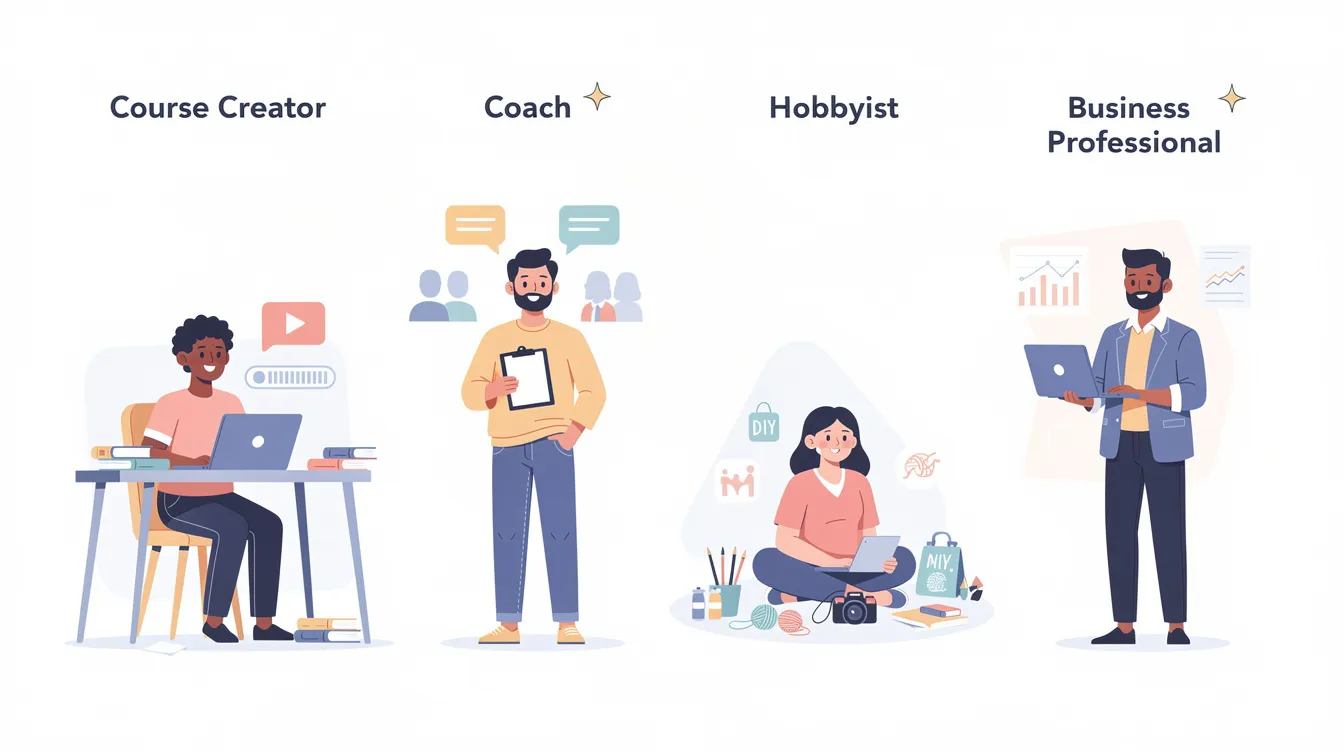
Course creators and cohort programs
Skool works well for experts who sell courses and want community built in. Everything - lessons, community discussions, weekly calls - lives in one place with simple progress tracking. It's ideal for transformation-driven programs where accountability matters more than formal grades. If you're making money from a 12-week cohort where weekly challenges and calls drive results, Skool fits. It's not ideal for accredited education or programs that must issue certificates.
Coaches, masterminds, and paid communities
This is Skool's sweet spot. Group coaching containers, masterminds, and recurring paid communities live or die on engagement - and Skool's gamification, leaderboards, and community feed keep members active between calls. Flat pricing with no per-member fee is attractive when scaling. But if your brand relies on a unique, fully custom portal, Skool's generic look may underwhelm high-ticket clients. Think of it as a cleaner, more focused alternative to a chaotic Facebook group.
Hobby communities and side projects
Community builders running smaller hobby-level projects can use Skool as a step up from free platforms when they want better organization and monetization. Watch your transaction fee on the hobby plan if revenue is low. For a casual interest club with no monetization goals, a free group on Discord or Facebook may still be enough. Test Skool with a side project during the trial before moving your main audience.
Agencies, brands, and enterprise teams
Skool is generally not designed for large enterprises, regulated industries, or agencies needing multiple branded client portals. No custom domain or white-label option, per-group pricing, limited roles and permissions, and lack of deep analytics make it a poor fit for managing other skool community instances at scale. Agencies might use it for internal training or a single flagship community, but should look at dedicated LMS platforms if brand control is non-negotiable.
Conclusion: is Skool the right choice for you?
Skool is the simplest all-in-one way to run a community and course hub if engagement and speed to launch are your top priorities. It won't replace a full marketing suite or enterprise LMS, but it was never trying to.
If you're a course creator, coach, or community builder running a coaching program, membership, or cohort - and you want to stop stitching together five different tools - Skool is worth testing. Spin up a trial group, invite a small beta cohort of early members, and see if the gamification and community engagement match what your target audience needs.
Pricing and features evolve, so verify current details on Skool's site before making a long-term decision. But if your goal is an active, engaged community with simple course delivery and flat pricing, Skool delivers on that promise in 2026.

Frequently asked questions
Skool is worth it if you're a course creator or community builder who values simple setup, strong community engagement, and flat pricing more than design control or deep LMS features. It's less compelling if you need certificates, complex funnels, or a fully branded app. Take the 14 day free trial and run a small pilot group before fully migrating to decide for yourself.
Skool uses a flat monthly subscription per community with two plan levels - a hobby plan with a higher transaction fee and a pro plan with lower fees. Skool charges $99/month for each community on the pro plan. Exact prices can change, so check Skool's official pricing page for 2026 details. Most creators move to the pro plan once recurring revenue exceeds roughly $1,200–$1,400/month.
Skool does not offer a permanent free plan for community owners but does include a time-limited free trial to test the platform. Within a paid account, you can host a free group for members - effectively a free community that serves as a top-of-funnel lead magnet. A skool community requires an active paid subscription from the owner, even if members join for free.
Skool is beginner-friendly in 2026. The interface is intuitive, setup takes under 30 minutes, and you don't need a developer to launch a basic paid community or course. Solo creators should budget for an external email tool and basic website, but can run everything else - skool courses, events, community, payments - directly inside Skool. The platform is designed so even non-technical community creators can manage communities effectively.
Skool beats facebook groups on organization, monetization, and member focus. Compared to mighty networks and similar platforms, Skool is simpler but less customizable - no multi-space architecture, fewer design options, and no built-in email marketing. If you want a lean, gamified community platform with built-in course creation, Skool is strong. If you need deep design control or advanced features, a competitor might fit better.
Skool offers official iOS and Android apps in 2026 that mirror the desktop experience and support push notifications, posting, commenting, and events. The apps are branded as Skool, not white-labeled, which works for most indie creators and coaches but won't satisfy brands needing their own named app. For day-to-day member engagement, the mobile apps are more than adequate and help keep your community active.